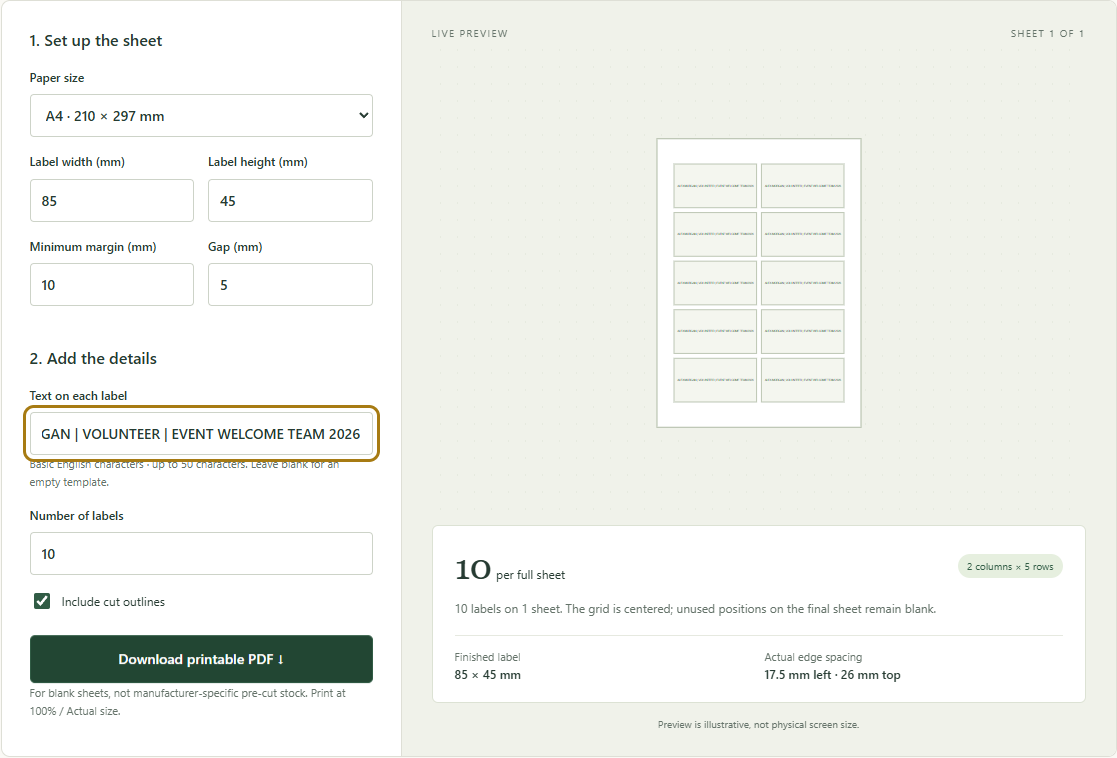
A name tag can pass a layout check and still carry an awkwardly small line of text. The Swetter label tool sizes a single repeated line to fit each badge. It does not warn that a long sentence may no longer serve the badge's purpose. We tried three versions of a sample volunteer name tag, changing only the wording, then inspected the PDFs downloaded from the tool.
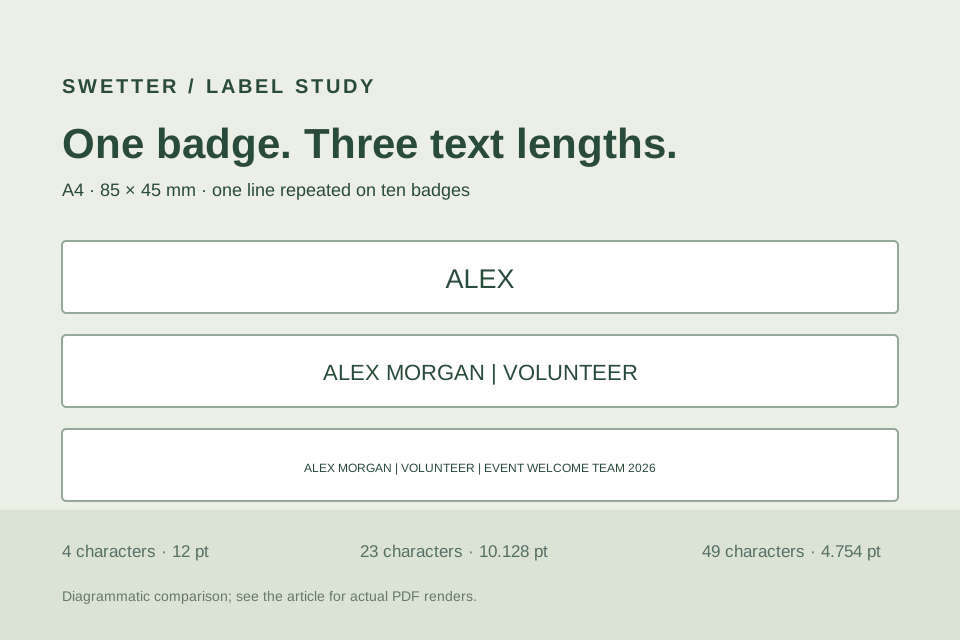
The short version, ALEX, is drawn at 12 pt in the exported PDF. ALEX MORGAN | VOLUNTEER drops to 10.128 pt. A 49-character version drops to 4.754 pt. All three remain inside the same 85 × 45 mm badge outline, but the rendered PDF makes the tradeoff plain: fitting inside an outline is different from being easy to read at the distance where the badge will be used.
What we checked: On October 20, 2026, we entered each case in the live Label & card layout tool, captured the actual settings, and downloaded three PDFs. We independently checked their A4 page boxes, ten badge outlines, repeated wording, PDF font sizes and extracted text bounds, then rendered the downloaded PDFs for the images below. We did not print a paper proof or measure real-world readability.
Keep the badge geometry fixed
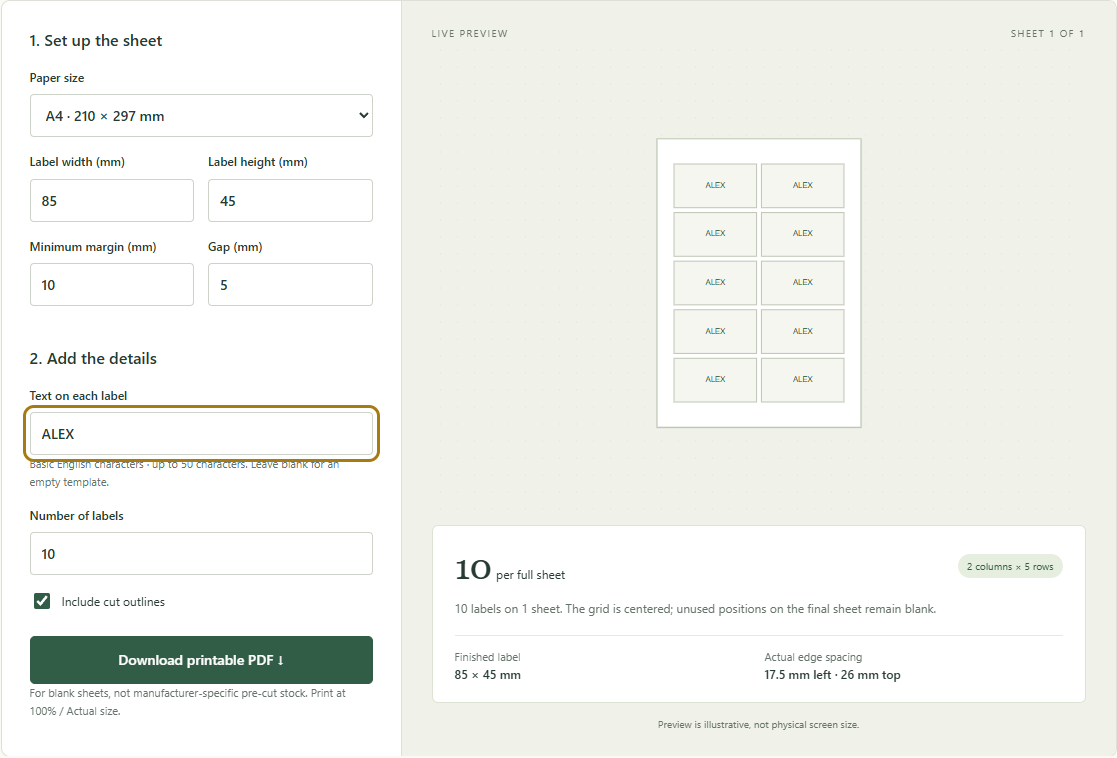
For a useful comparison, set up the sheet once and change only Text on each label.
| Setting | Value for all three runs |
|---|---|
| Paper | A4, 210 × 297 mm |
| Badge width × height | 85 × 45 mm |
| Minimum margin | 10 mm |
| Gap | 5 mm |
| Number of labels | 10 |
| Include cut outlines | Checked |
The tool fits 2 columns × 5 rows = 10 badges on one sheet. The grid is centered, leaving 17.5 mm at the left and right edges and 26 mm at the top and bottom. Those values stayed the same in every run. Text length changed neither the number of badges nor the number of PDF pages.
This is a layout for blank A4 sheets that you cut yourself. It is not aligned to a manufacturer's pre-cut badge stock. Also, the tool puts the same one-line text on every badge. These PDFs demonstrate text length; they are not a mail merge of ten different names.
Compare the actual PDF output
These are equal-sized crops of the first badge in each downloaded PDF, rendered at the same resolution. They are views of the exported files, not mockups of the interface and not photographs of printed badges.
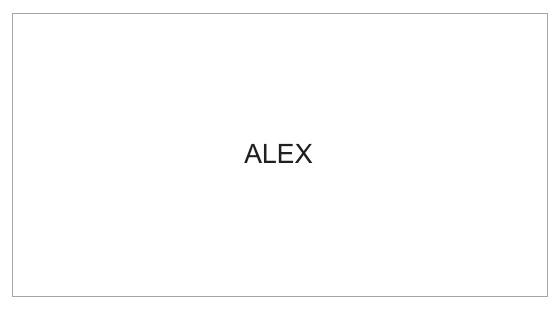
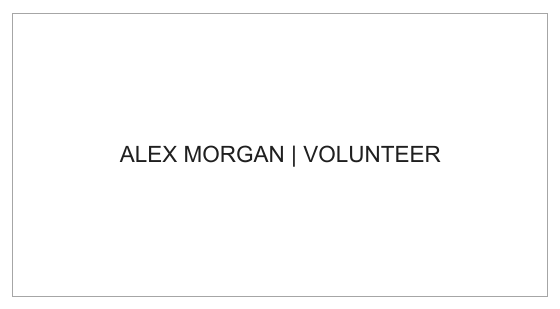
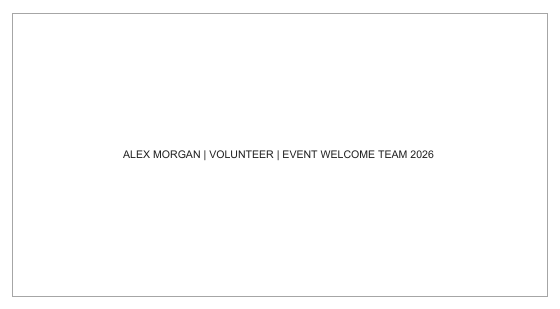
| PDF case | Characters, including spaces | PDF font size | Sheet layout |
|---|---|---|---|
| Short name | 4 | 12 pt | 2 × 5, one page |
| Name and role | 23 | 10.128 pt | 2 × 5, one page |
| Name, role and event team | 49 | 4.754 pt | 2 × 5, one page |
Independent text extraction found all ten copies of each line. The first badge's extracted glyph bounds stayed inside its 85 × 45 mm outline in every file; the other nine repeat the same line at the same size. This confirms a digital fit, not a paper result or a universal readability threshold. The browser's green live preview also uses its own drawing size, so judge the printable text from the PDF itself, not from the screen preview.
Why the wording shrinks so much
The current PDF exporter caps its text at 12 pt. Below that cap, it divides the usable badge width by the number of characters in the one-line wording. For this 85 mm badge, the width-based part of the calculation is:
85 mm × 72 / 25.4 = 240.945 pt badge width
240.945 pt − 8 pt = 232.945 pt available to the sizing rule
232.945 / 23 characters = 10.128 pt
232.945 / 49 characters = 4.754 pt
The exporter also applies a height limit, but that limit does not govern these three cases. This character-count rule is intentionally simple: letters have different actual widths, and it is not a full typography or line-wrapping engine. We checked the exported text bounds independently rather than assuming the arithmetic alone proved no overflow.
For a name tag, the practical response to the 49-character result is to edit the message. Keep the name and the role; move the organization or event year to another surface if it must appear. The middle version conveys more useful information than ALEX while keeping a much larger line than the 49-character version. That is an editorial choice, not a certified minimum font size. Make a physical proof under the viewing conditions you expect before producing a batch.
Reproduce the check for your own wording
- Open Label & card layout and enter the sheet and badge measurements above.
- Enter one version of your badge text. The tool accepts basic English letters, numbers and punctuation on one line, up to 50 characters.
- Select Download printable PDF, open the file and inspect a badge at a realistic display zoom. Repeat with a shorter version while leaving geometry untouched.
- If you will print, use matching paper and your print application's unscaled setting, then check a physical proof before cutting or making a batch. The first-sheet check explains what to measure.
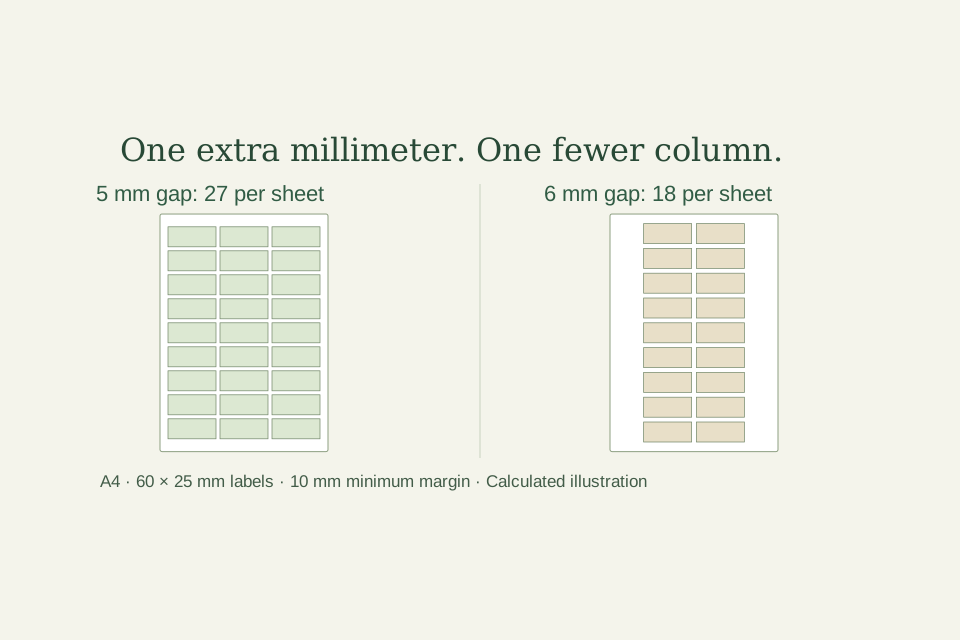
The tool does not set different names on each badge, create multiple lines, add a separate large-name/small-role hierarchy, or supply bleed and manufacturer-specific alignment. Use a dedicated badge design or mail-merge workflow if those are requirements. If your issue is how many rectangles fit on a sheet rather than what fits inside one rectangle, see the 5 mm versus 6 mm label-gap comparison.
Download the checked A4 exports
- Short name PDF: ALEX
- Name and role PDF: ALEX MORGAN | VOLUNTEER
- 49-character PDF: full example wording
- Measurements and PDF text-size record (CSV)
The PDF files are the browser-downloaded test exports. The images above are rendered reading previews. No physical print test was performed.