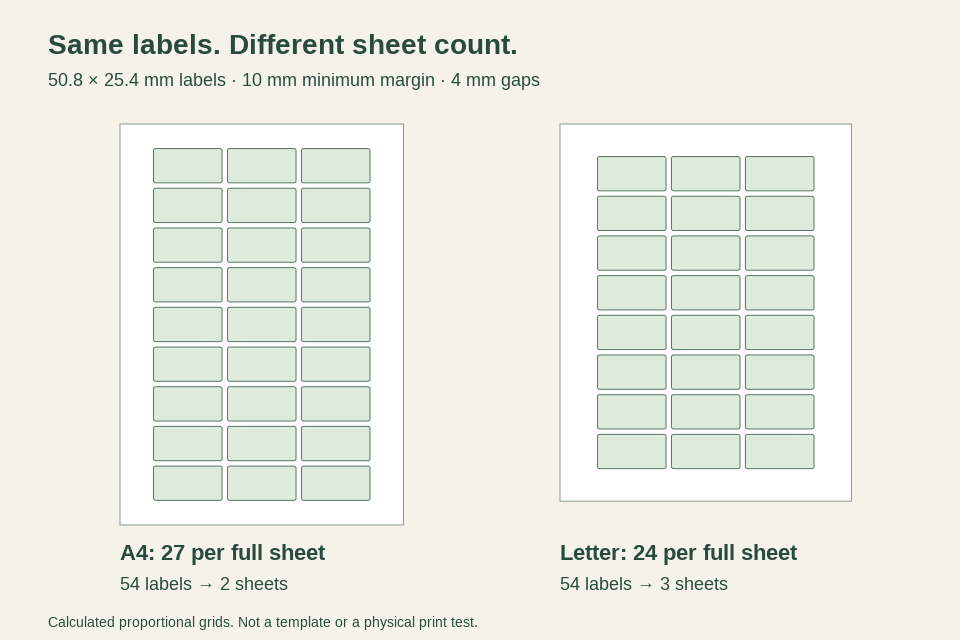
The same 2 × 1 inch labels: why A4 holds 27 and Letter holds 24
Keep label size, margins and gaps fixed, then change only the paper. Check the missing row, centered margins and sheet count for a 54-label batch.
Read the story ↗The right size. The perfect crop. Everything in its place. Simple tools to get your next print right, before it hits the paper.
For your photos, paper projects and small business.
Four focused helpers for the moments between an idea and a finished print.
Check image resolution at your chosen print size. Know what to expect before you press print.
Open toolSee exactly what fits in your frame. Position your crop, then download a ready-to-use image.
Open toolMove between A4, Letter and more with clear scaling percentages and margin controls.
Open toolArrange labels or cards on a sheet and download a precisely sized, printable PDF.
Open toolTurn pixel dimensions into a useful print size, with worked examples and room for cropping.
Read the guide ↗Understand why a photo loses its edges in a new frame, and preview the trade-off before printing.
Read the guide ↗Calculate a safe scale, account for printer margins and understand what filling the page cuts off.
Read the guide ↗Keep label size, margins and gaps fixed, then change only the paper. Check the missing row, centered margins and sheet count for a 54-label batch.
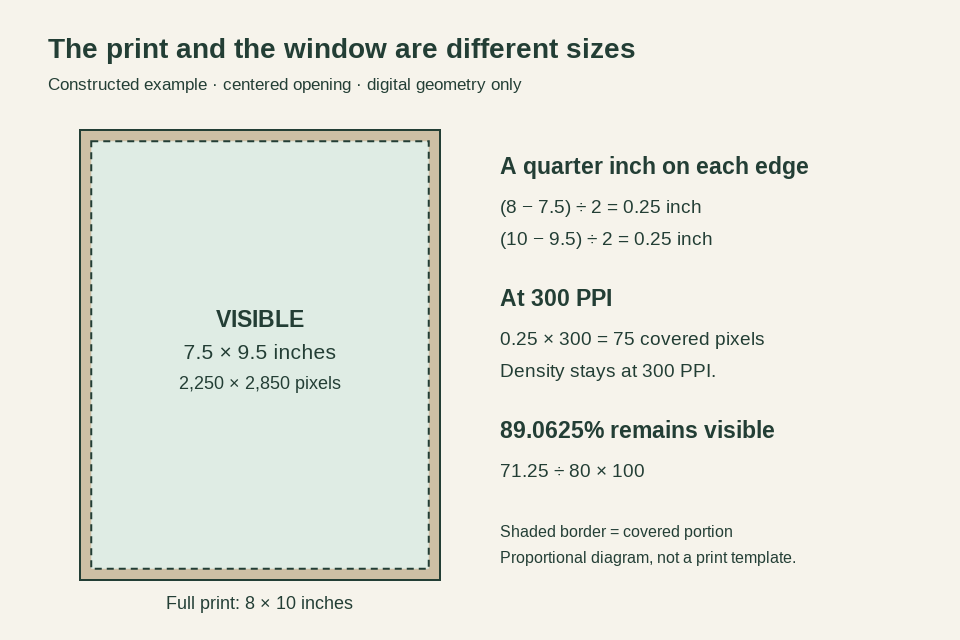
Read the story ↗Separate the full print from a smaller mat opening. Work through a centered 7.5 × 9.5 inch window, a 75-pixel covered edge and the correct 300 PPI check.
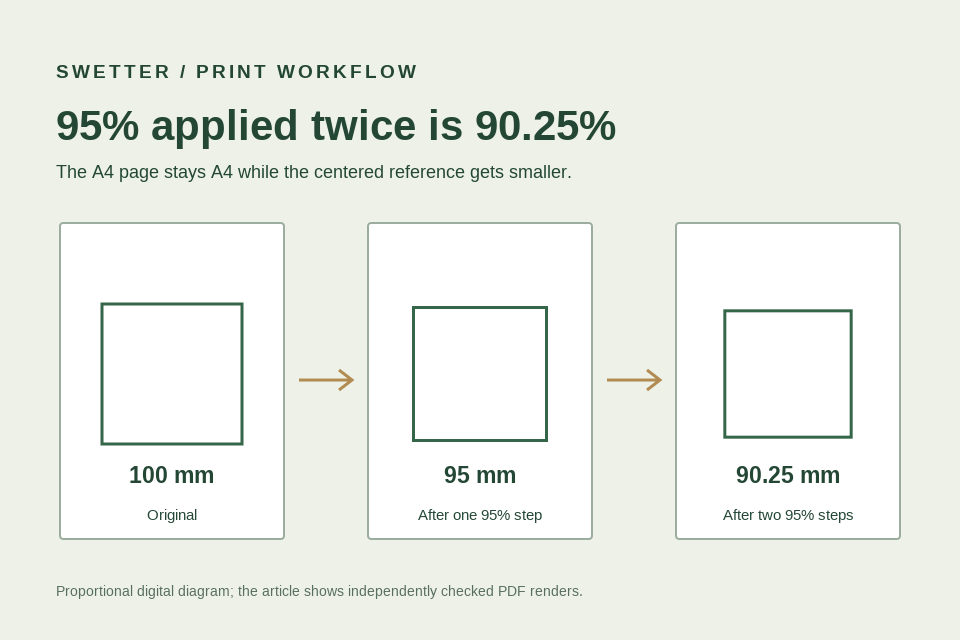
Read the story ↗Follow a verified 100 mm PDF square through two 95% digital scaling steps. See the real calculator setting, checked PDF renders, and a way to avoid shrinking the same artwork twice.
Read the story ↗Simple tools should come with clear answers.
No. The image tools read and process files in your browser. Swetter does not upload your selected photos to a server. Closing the page clears its working image.
Yes. Check product photos, plan cards or make a simple label sheet. For commercial print runs, follow your print provider's specifications and check a physical proof.
No. PPI tells you how densely image pixels cover a print. Focus, compression, paper, viewing distance and printer settings also matter. Our guides explain what the numbers can and cannot tell you.
No. Use a current browser with JavaScript enabled. The guides can be read without JavaScript. Downloads are created on your own device.